

At first glance, home security pricing can seem simple. A company advertises a low monthly rate, a “free” system, or a discounted starter package, and it sounds like a straightforward deal. But once you look closer, the real cost often tells a different story.
This is where many homeowners get caught off guard. The price you see in an ad is rarely the full price you pay. Between installation charges, equipment markups, service fees, and cancellation penalties, the total cost of a home security system can rise much faster than expected.
That does not mean home security is not worth the investment. It simply means the smartest buyers look beyond the headline price.
Let’s break down the hidden costs that often come with home security systems, what they actually mean, and how to avoid paying more than you should.
Why Home Security Costs Are Often Misleading
Home security companies rarely lie about pricing, but they often simplify it. The advertised number is usually just the easiest part of the offer to sell.
Why pricing can feel misleading
- Ads highlight the lowest possible cost: The promoted price usually reflects the most basic package, not the total setup most homeowners actually need.
- Important fees are often buried in fine print: Charges for setup, activation, upgrades, or cancellation may not be obvious until later.
- Monthly pricing distracts from total cost: A small monthly fee can sound affordable, but the long-term cost may be far higher than expected.
The problem is not always dishonesty. More often, it is incomplete context.
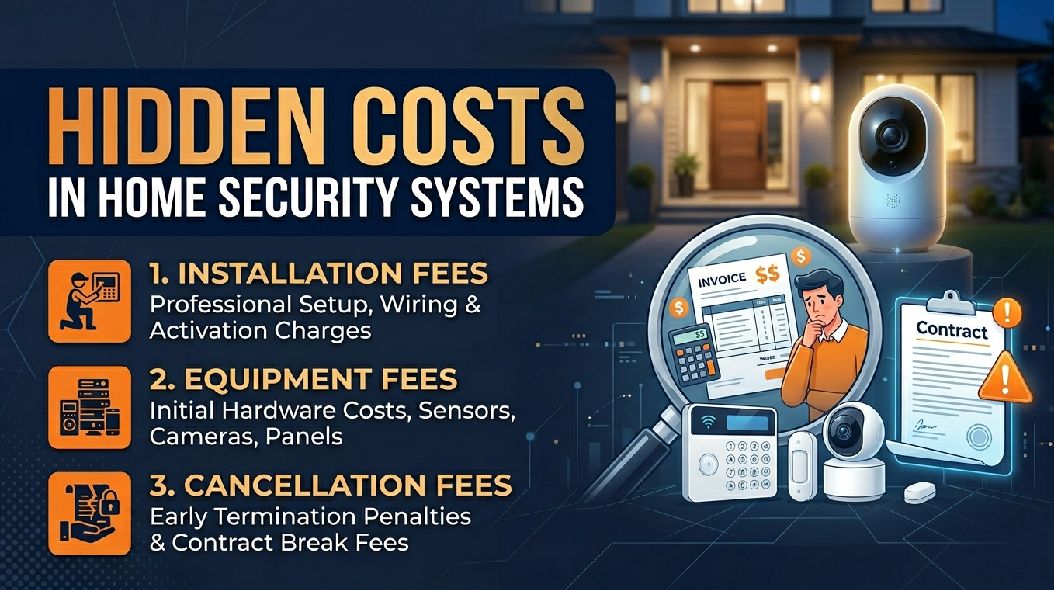
Installation Fees: The First Surprise
Installation is one of the most common hidden costs in home security.
What installation fees usually include
- Professional setup: A technician installs sensors, connects devices, and tests the system.
- System configuration: This includes app setup, account pairing, and network integration.
- On-site support: Some companies charge for travel, labor, or same-day installation.
While professional installation can be useful, it is rarely as “free” as advertised.
Why installation costs matter
Even if the equipment is discounted, installation fees can quickly raise your upfront cost. In some cases, what looked like an affordable system becomes expensive before monitoring even begins.
Equipment Costs: Basic Often Means Very Basic
The word “equipment included” sounds generous, but what is included is often minimal.
What basic equipment usually covers
- Control panel or base station: The central unit that manages the system.
- A few entry sensors: Usually enough for one or two doors.
- A keypad or mobile access: Basic arming and disarming controls.
This may be enough for a studio apartment, but not for most homes.
Where equipment costs increase
- Extra door and window sensors: Larger homes need more coverage than starter kits provide.
- Motion detectors: Often sold separately or limited to one sensor.
- Security cameras: Indoor, outdoor, and doorbell cameras are usually add-ons.
- Smart locks and automation: These upgrades can raise the price quickly.
The “included” system is often just the beginning.
Activation Fees: Paying to Turn It On
Activation fees are easy to miss because they often appear after purchase.
What activation fees cover
- System registration: Connecting your hardware to the provider’s network.
- Account setup: Creating and linking your monitoring profile.
- Initial testing: Confirming the system communicates correctly.
Why it matters
Activation fees may be a one-time charge, but they add to the real startup cost. Some companies waive them, others do not. Either way, it is worth asking upfront.
Monthly Monitoring Fees: The Long-Term Expense
This is where the biggest long-term cost usually lives.
What monitoring fees pay for
- 24/7 system monitoring: Alerts are reviewed by a monitoring center.
- Emergency dispatch support: Police, fire, or medical services can be contacted.
- App access and notifications: Some providers lock mobile features behind paid plans.
Why this cost adds up
A monthly fee may seem manageable, but over two or three years, it often becomes the largest expense in the entire system.
A lower upfront price can hide a much higher long-term commitment.
Cloud Storage Fees: Paying for Your Own Footage
Many modern systems rely on cloud storage for recorded video.
What cloud fees usually cover
- Video recording storage: Saving footage for later review.
- Playback history: Accessing events from previous days or weeks.
- Smart clips and event filtering: Organizing motion and alert footage.
Why this matters
Without a storage plan, many cameras lose much of their value. You may still get live video, but recorded history often requires another monthly fee.
Maintenance and Replacement Costs
Home security systems are not always set-and-forget.
Ongoing costs to consider
- Battery replacements: Wireless sensors need fresh batteries over time.
- Device wear and tear: Outdoor cameras and sensors can degrade.
- Service calls: Some providers charge for troubleshooting visits.
Why it matters
Even small maintenance costs can add up over several years, especially if service is not included.
Contract Fees: The Cost of Commitment
A contract can make monthly pricing look stable, but it often limits flexibility.
What contracts usually include
- Fixed service term: Often 12 to 36 months.
- Required monthly payments: Even if you stop using the system.
- Automatic renewal clauses: Some contracts renew unless canceled in time.
Why contracts matter
A contract may reduce upfront cost, but it also locks you in. That flexibility has value, especially if your needs change.
Cancellation Fees: The Exit Cost
This is one of the most frustrating hidden costs in home security.
What cancellation fees often involve
- Early termination charges: Cancel before the contract ends and pay a penalty.
- Remaining balance clauses: Some providers require payment for the remaining term.
- Equipment return fees: Leased equipment may need to be returned or purchased.
Why it matters
Leaving a bad service should not be expensive, but often it is.
Upgrade Costs: Small Add-Ons, Big Impact
Upgrades are where many budgets quietly drift upward.
Common upgrade costs
- Extra cameras
- Smart home integrations
- Expanded storage plans
- Premium app features
Each upgrade may seem small, but together they can significantly change the total cost.
How to Spot Hidden Costs Before You Buy
The best way to save money is to ask better questions before signing anything.
Ask these before buying
- What is included in the base price?
- Are installation and activation extra?
- What features require a subscription?
- Is there a contract?
- What happens if I cancel early?
Clear answers now prevent expensive surprises later.
How to Avoid Overpaying
Smart ways to protect your budget
- Compare total cost, not just monthly cost
- Read the full contract
- Ask for all one-time fees upfront
- Avoid paying for features you do not need
- Choose flexible plans when possible
A cheaper ad does not always mean a cheaper system.
Conclusion
Home security can be a smart investment, but only if you understand the full cost. The monthly price is only one piece of the puzzle. Installation fees, equipment upgrades, cloud storage, maintenance, contracts, and cancellation charges can all raise the real price far beyond what the ad suggests.
The goal is not to avoid home security. It is to avoid surprises. When you understand the hidden costs, you can choose a system that protects your home without quietly draining your budget.
The best security system is not just the one that keeps intruders out. It is the one that keeps unexpected costs from creeping in too.
FAQs
Q. What is the most common hidden cost in home security systems?
Monthly monitoring fees are often the biggest long-term cost, especially when tied to contracts.
Q. Are installation fees always charged?
Not always. Some companies include installation, while others charge separately for setup and activation.
Q. Why do cancellation fees matter so much?
They can make it expensive to leave a provider early, even if the service no longer fits your needs.
Q. Do all security cameras require cloud storage fees?
No. Some offer local storage, but many charge monthly for cloud recording and playback.
Q. How can I avoid hidden home security costs?
Ask for the full cost breakdown upfront, review the contract carefully, and compare long-term pricing - not just the advertised monthly rate.